在chrome上模擬JavaScript的hover

方法一:

var event = new MouseEvent('mouseover', {
	'view': window,
	'bubbles':true,
	'cancelable':true
});

document.querySelector('.luna-cute').dispatchEvent(event);

因為用chrome無法模擬JavaScript製造出來的hover效果,所以要用這個方法來模擬。

方法二:

對想要hover的element按右鍵,再移到dev tool上,就會維持hover的狀態了
(鍵盤再用↑↓移到檢查)
rem計算方式

先看root size。
查看到html的 font-size是 10vw。
大小以iphone5為基準
因為iphone5的寬為320
故320 / 10 = 32。

可以利用線上工具來換算。在photoshop上的字型若是14,就在Pixels中輸入14
photoshop最好調整成320寬,得到的較準確的感覺。
然後右邊的答案其實就是 14 / 32 的結果

參考:

css – How to calculate REM for type? – Stack Overflow
https://stackoverflow.com/questions/11352783/how-to-calculate-rem-for-type


pixels to rem


Destructuring assignment

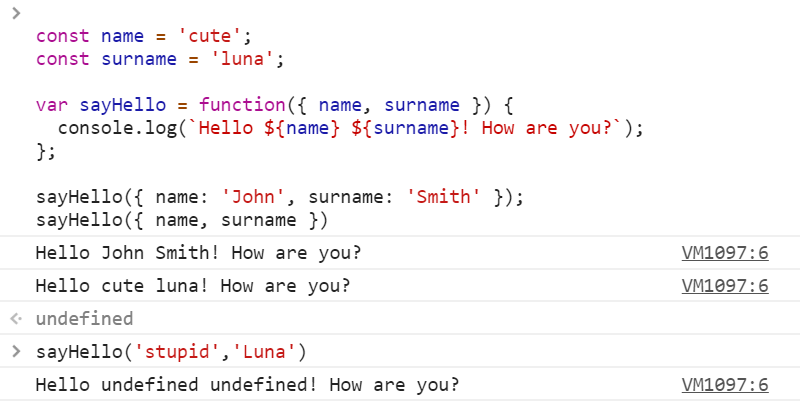
const name = 'cute';
const surname = 'luna';

var sayHello = function({ name, surname }) {
  var cute = 'fuck you'; 
  var fuck = 'fuck your dick';
  console.log(`Hello ${name} ${surname}! How are you?`);
  console.log({cute});
  console.log({cute:fuck});
};

sayHello({ name: 'John', surname: 'Smith' });
sayHello({ name, surname });

可以把上面直接貼在console,或是貼到babel玩玩

React Life Cycle

constructors

Do
  • create any fields (variables starting with this.)
  • initialize state based on props received
  • set initial state
  • if not using class properties syntax — prepare all class fields and bind functions that will be passed as callbacks
Don’t
  • cause any side effects (AJAX calls etc.)