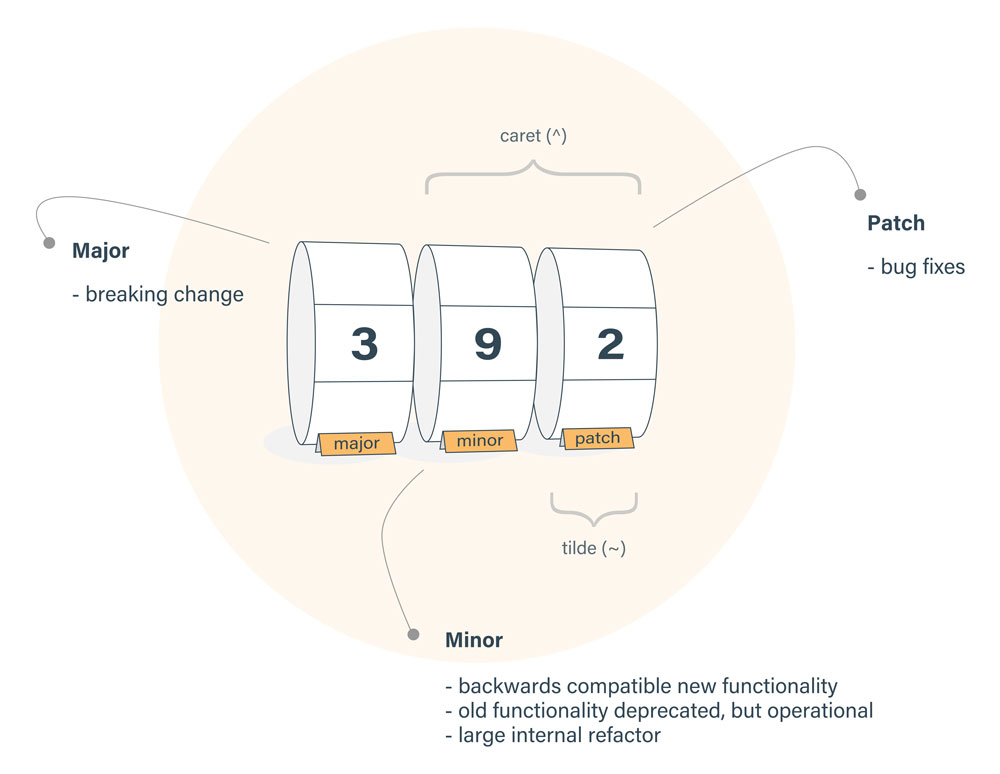
Caret只會修改minor、patch的版本,tilde只會修改patch版本
eslint報錯解決方式:
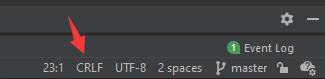
ESLint: Expected linebreaks to be ‘LF’ but found ‘CRLF’.(linebreak-style)
編輯器如果這邊是CRLF就會每一行都有紅波浪
開始研究怎麼解決

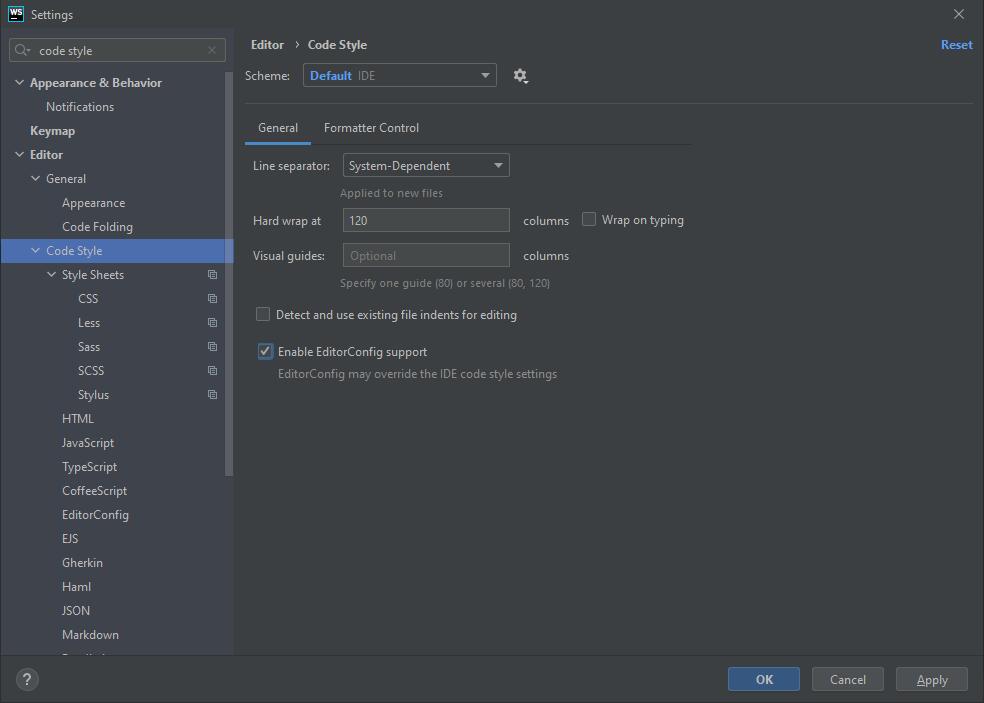
在IDE可以設定Code Style,注意有一個Enable EditorConfig support,點了它會蓋掉IDE的設定(如果有檔案的話)
EditorConfig是什麼咚咚?
EditorConfig官網
簡單來說就是『叫編輯器聽我的話!』這樣的檔案
另外研究了這篇
Git for Windows: Line Endings
懶人包:增加.gitattributes這個檔案就好
參考文章:
Prettier – End of Line
enforce consistent linebreak style (linebreak-style)
Disallow mixing CRLF and LF linebreaks (linebreak-style)
Why should I use core.autocrlf=true in Git?
Windows下前端开发使用prettier保证以LF结尾
Git – gitattributes Documentation
另一個eslint
ESLint: Delete ␍(prettier/prettier)
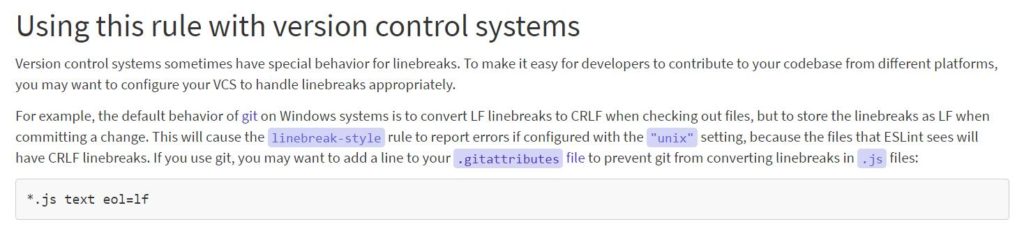
參考這裡:
Using this rule with version control systems
Ctrl + Tab
切換檔案(可以搭配↑↓鍵)
http://devlinks.pinkjelly.org/
定期更新,收集一些開發軟體的教學網站。
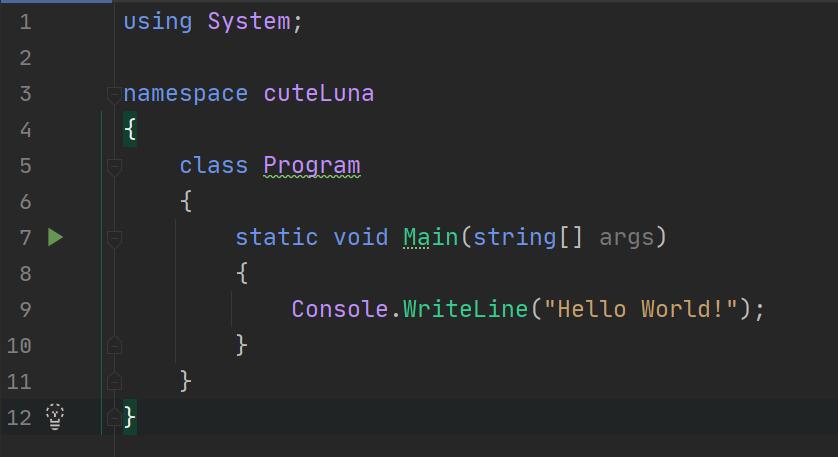
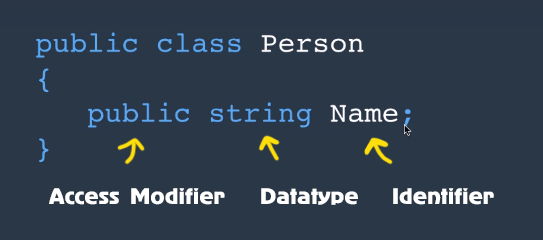
An object is an instance of a class.
One class per file.
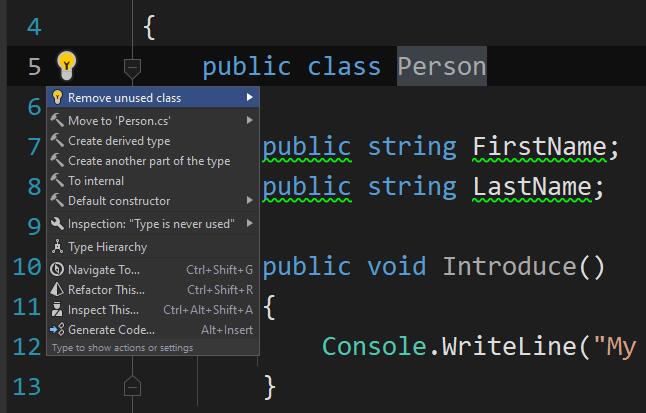
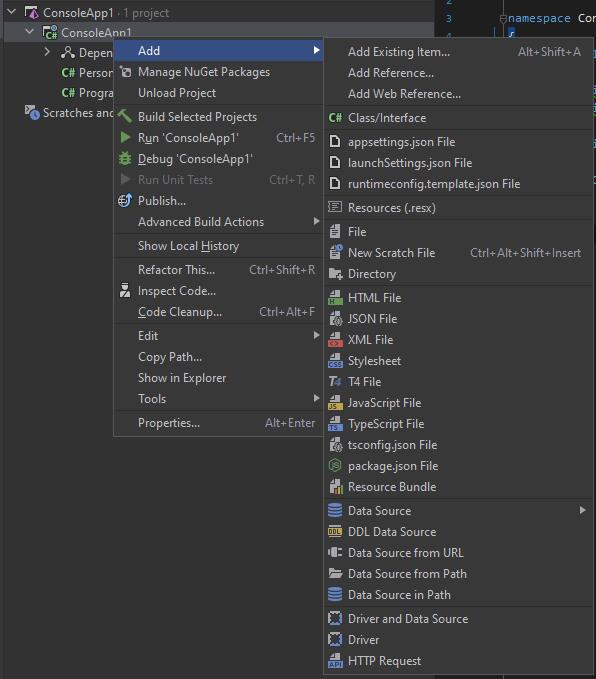
相關的class要放在一樣的namespace
namespace可以用folder來分類
對namespace按Alt + Enter也可以改namespace名
Console.WriteLine(“可以直接用是因為它是static”)
它會是static是因為只有一個console
field宣告
已經有原生的方法可以壓縮圖片惹,前端可以直接使用:
<img src="image.png" loading="lazy" alt="…" width="200" height="200">
另外,也可以把圖片轉成webp,是一個新的圖片格式,輕量快速
可以直接用軟體來轉:
Webpconv
參考:
Browser-level image lazy-loading for the web
Complete Guide to Using WebP Image Format – Hongkiat
超級簡單的,只要二個步驟!
1. 到Google fonts選一個font
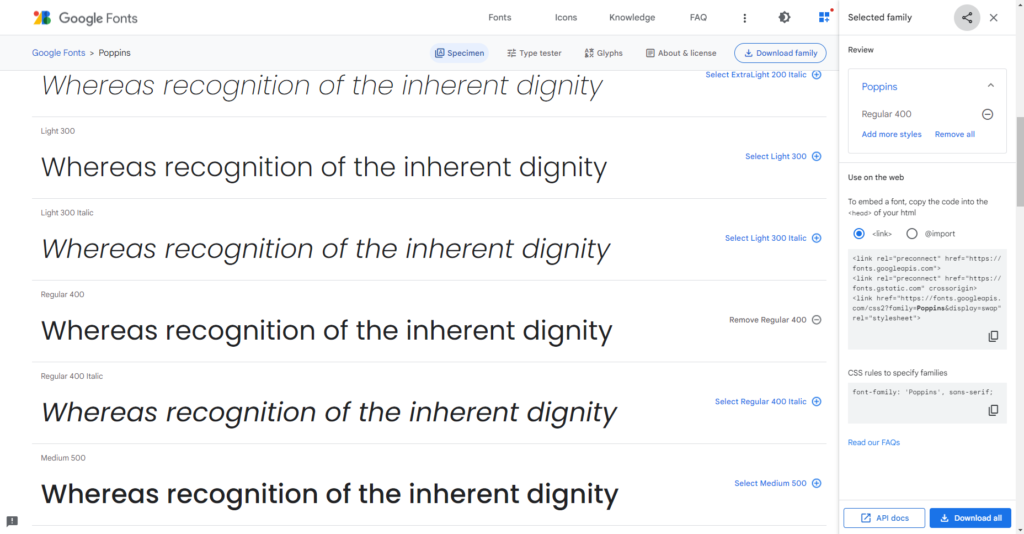
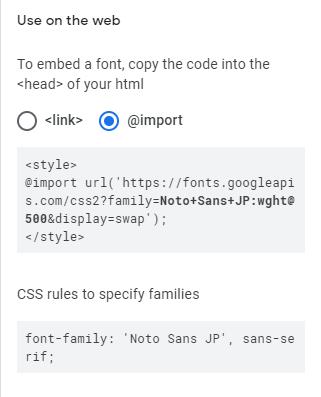
2. 選好之後,可以選要加入的方式
有三種方法:
1. 在html的head上加link
2. 在html的head上加style
3. 直接在css上import

在css上加的範例, family = xxx 記得要是自己選的字型
相關參考:
Get Started with the Google Fonts API | Google Developers